
Human-in-the-Loop to Handle Uncertainty
In the BECONEX AI Suite, uncertain results go to a person (human-in-the-loop) before they reach your downstream systems.
Reviewers work with the BECONEX WebView, a browser-based interface that shows the document next to the AI’s proposal. After approval, the corrected result returns into the workflow automatically. Both the AI proposal and the person’s changes are recorded.
Only Uncertain Results require Human Supervision
Split
A wrong boundary affects two documents and may result in misplaced pages. This also affects the accuracy of subsequent steps like classification.
The proposed individual documents can be manually split or merged to correct the boundaries.
Classify
Misclassified documents are sent to the wrong workflow or target system. If data extraction is part of the process, components will try to read the wrong fields.
The classes are presented in a dropdown, from most to less likely, and the reviewer can choose the right one.
Extract
Extracted data is often used for routing and indexing, for which its accuracy is also critical. Wrong metadata can corrupt the end system as source of truth.
The reviewer confirms or corrects the extracted field values in the field-validation view.
Working with the BECONEX WebView
BECONEX WebView is the human-in-the-loop interface for the AI Suite. It allows human reviewers to confirm or correct AI-processed data before it moves further along the workflow. Reviewers sign in using Microsoft Entra ID and need the reviewer role.
Changes take effect only when the reviewer applies them. Until then every step can be undone. The reviewer then releases the batch or document to send it back into the workflow. Split, Classify, and Extract can each trigger a review process.
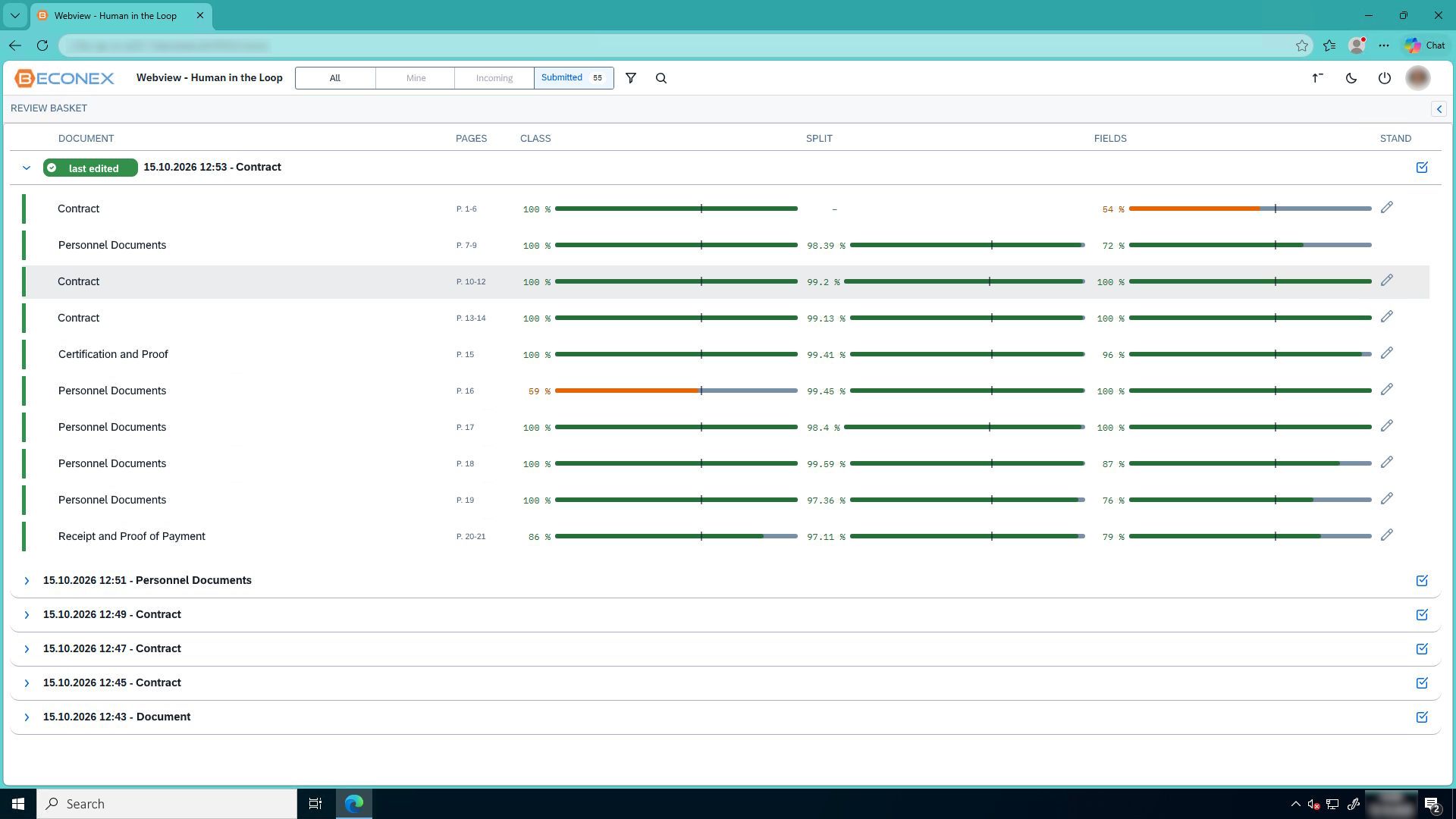
Processed batches and documents to be reviewed land in the reviewer’s inbox. From this dashboard it is possible to see the following information:
- Scanned batches and the documents each contains,
- Identified document types,
- Confidence levels for each step in the AI chain (split, classify, extract),
- Preconfigured thresholds, etc.
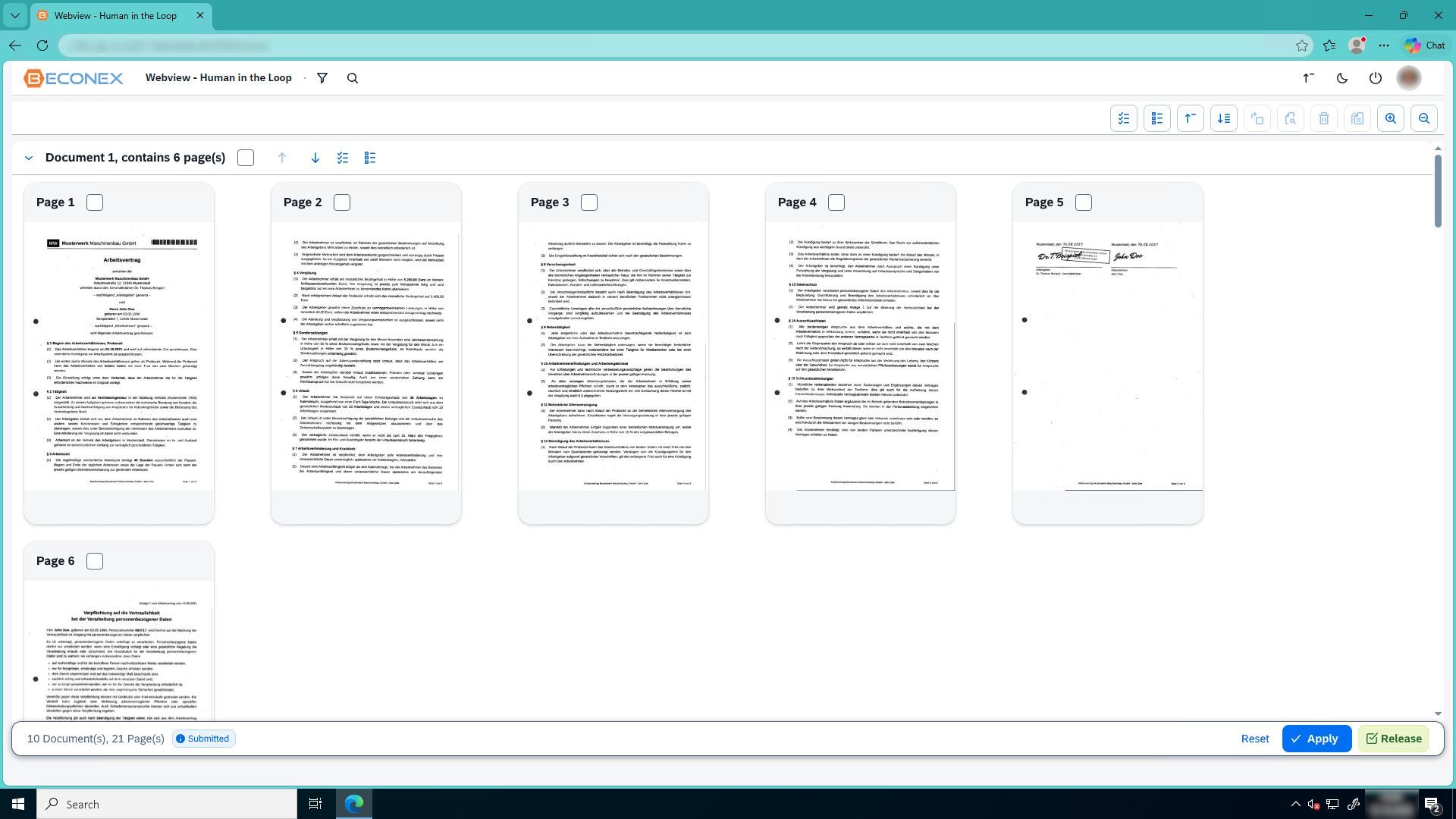
To validate or correct a split, reviewers use the batch editor view. Every page in the batch is displayed as a thumbnail. Pages are grouped in documents according to the boundaries proposed by the AI Suite. Reviewers can:
- Merge and split documents,
- Reorder pages within a document.
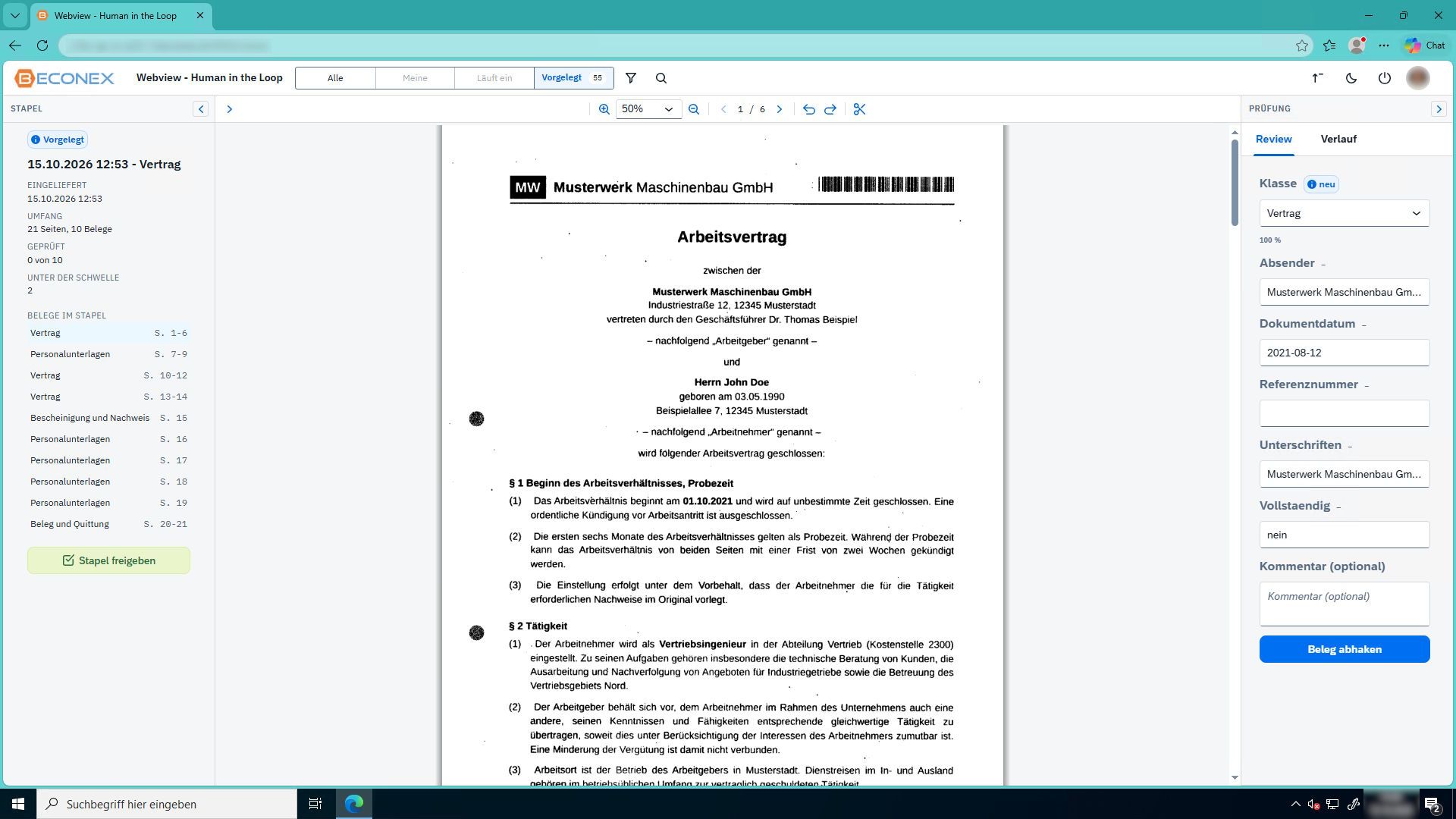
In this case, documents are displayed individually. The identified class and/or extracted data fields are shown in a fixed panel next to the document pages. Reviewers can:
- Zoom in and out, and scroll through pages,
- Correct the document class and data field values,
- Confirm changes and release the document.
Frequently asked Questions
When the result is uncertain. Split results are presented to a reviewer before the batch continues. For classification and data extraction, documents below the confidence threshold are held for review. Everything else continues without a detour.
The reviewer opens a waiting batch, compares the document with the AI’s proposal, corrects boundaries or field values, and releases the batch. The corrected result returns into the workflow automatically.
The AI’s proposal and the reviewer’s changes are stored separately. The reviewer’s identity, outcome, comment, and timestamp are also logged in the batch’s process history.